Privoo reference
Download Source Discord

Privoo Desktop

From the Privoo reference. This article covers the browser as of version 5.0.5.

This article is about the desktop browser. For the Android browser, see Privoo for Android. For the coding IDE, see Privoo Coder.

Privoo Desktop is a free and open-source web browser for Windows, macOS and Linux, built on Chromium and Electron. It is distinguished from mainstream Chromium browsers primarily by its defaults: content blocking, encrypted DNS, third-party cookie blocking and fingerprint protection are active on first launch rather than offered as opt-in settings. The browser has no user account system, no synchronisation server, and collects no telemetry.

Development began in May 2026 and the project reached version 5.0.5 in July 2026, across 66 tagged releases. It is maintained as an independent project under the MIT license rather than by a company, a fact its documentation cites as the reason its privacy defaults are not constrained by an advertising business model.[1]

Version 5.0.5 introduced .mariana, a feature that publishes a local folder as a Tor hidden service from within the browser, with an optional post-quantum encryption layer applied between two Privoo Desktop instances.

Privoo Desktop is one of three applications sharing the Privoo name. The others are Privoo for Android, a native mobile browser, and Privoo Coder, a coding IDE. Both are closed source and are distributed differently; see Privoo product family below. Statements in this article about licensing, telemetry and updates apply to Privoo Desktop only.

Overview

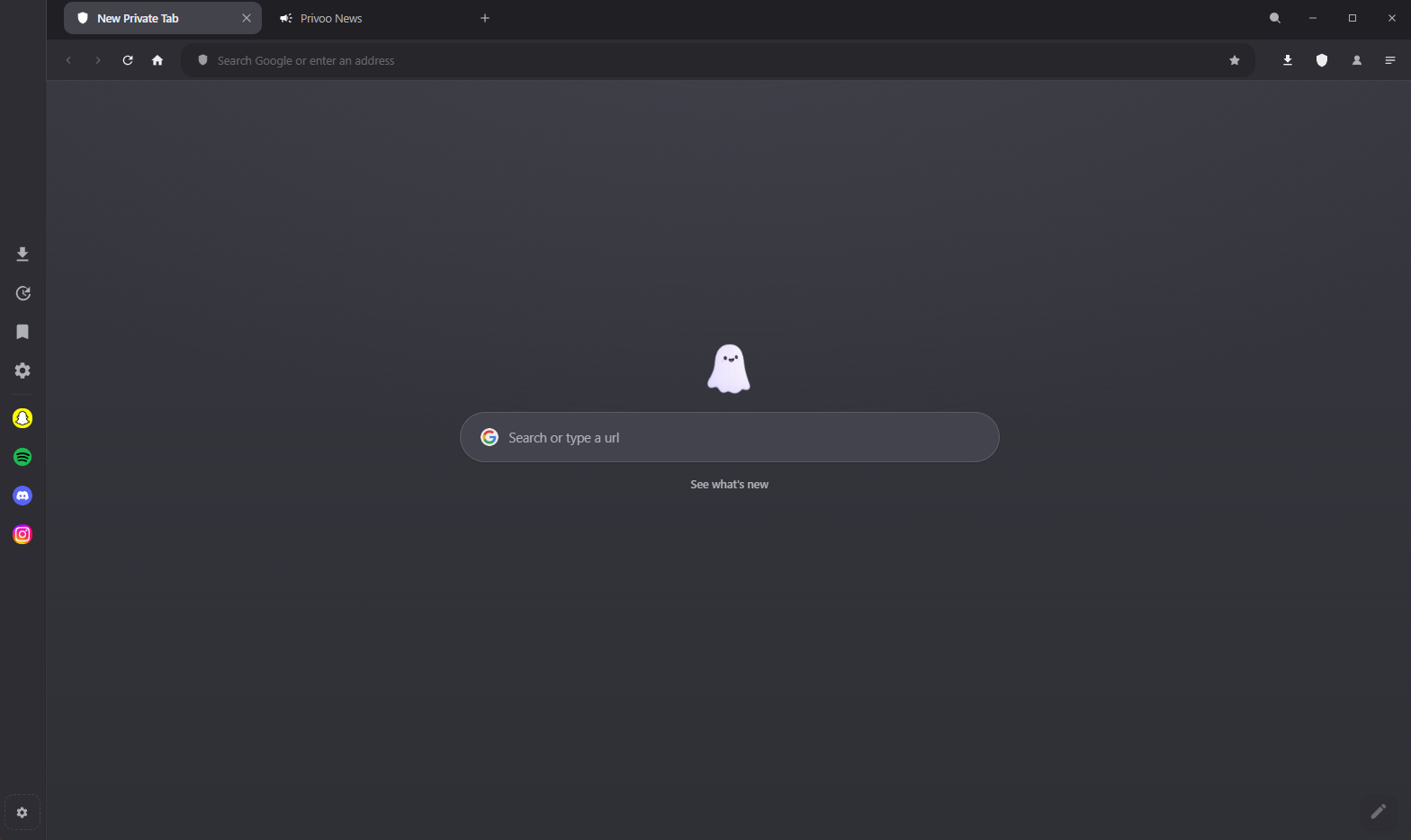
Privoo Desktop's Speed Dial new tab page, showing the ghost mascot, a greeting and the search field over a wave background.
Privoo Desktop 5.0.5 on Windows, showing the Speed Dial new tab page in the default dark theme. This is a fresh install with no configuration performed: the shield at the right of the toolbar is already counting, and the search field already defaults to a non-profiling engine.

Privoo Desktop is built on Chromium, so its web compatibility and rendering behaviour are those of Chromium: pages that work in Google Chrome generally work here unchanged. What differs is the layer above the engine, which comprises the content blocker, the privacy defaults, the user interface, a set of first-party tools, and several internal pages served over a custom privoo:// URL scheme.

The project's stated rationale is that mainstream browsers are funded, directly or indirectly, by the advertising industry, and therefore ship privacy features that are switched off, difficult to find, or scoped so as not to affect that revenue. Privoo has no advertising revenue, and consequently enables its protections by default.[1]

A secondary effect of blocking at the network layer is performance. Requests for advertising and tracking resources are cancelled before they are issued, so the associated bytes are never transferred and the associated scripts never execute. The project describes this as being fast "because it is doing less work", rather than through engine-level optimisation.

History

Early releases

The first commit, labelled Beta v1.00 — initial release, is dated 23 May 2026.[2] The earliest releases were dominated by distribution and update-mechanism problems rather than browser features: the 1.0.x series contains repeated fixes to the auto-updater, including a stall at 100% completion, a SHA-512 hash mismatch between the built installer and the copy served by the release CDN, and a macOS-specific failure caused by Squirrel rejecting unsigned builds.

Feature work began in earnest with the 2.x series in late May 2026, which introduced interface customisation ("Your Vibe"), and continued through 3.x (June 2026) and 4.x (July 2026). The 5.x series, beginning 14 July 2026, accompanied a visual redesign in which a single configurable accent colour was propagated through the entire interface.

Widevine DRM support has been a recurring theme. Privoo builds against the castLabs Electron distribution rather than upstream Electron, and the release pipeline performs Verified Media Path signing; the project notes that two earlier releases (4.0.3 and 4.0.4) shipped with unverifiable DRM because signing silently skipped, after which the build was changed to fail rather than publish in that state.

Version history

Major series and their first tagged release:

Major version series
SeriesFirst releaseNotable changes
1.x23 May 2026Initial public beta. Auto-updater and release-pipeline stabilisation; YouTube playback and ad-blocking fixes.
2.x29 May 2026Interface work: "Your Vibe" tinting, emoji handling, macOS vibrancy, DevTools and mobile-view fixes.
3.x9 June 2026Continued feature expansion.
4.x4 July 2026Widevine VMP signing enforced in CI; Spotify library and brand-icon fixes; cookie durability fixes.
5.0.014 July 2026Search bar and suggestion fixes, wave settings, logo default.
5.0.314 July 2026Whole-browser accent theming; fully custom dropdown controls.
5.0.415 July 2026Multi-identity autofill, mobile view, native tray menu, ad-block live-toggle fix.
5.0.515 July 2026.mariana anonymous Tor hosting with a post-quantum layer.

As of version 5.0.5 the repository contains 180 commits across 66 tagged releases.[2] Releases are built and published automatically by GitHub Actions for Windows, macOS and Linux when a version tag is pushed.

Default configuration

The following are active on a new installation with no user configuration. Values are those defined in the browser's settings store.[3]

Selected defaults in version 5.0.5
SettingValueEffect
Ad and tracker blockingEnabledEasyList, EasyPrivacy and uBlock Origin rules applied at the network layer
Force HTTPSEnabledInsecure http:// navigations upgraded
Third-party cookiesBlockedCross-site Cookie and Set-Cookie headers stripped
DNS-over-HTTPSEnabledStrict mode; Cloudflare by default; no plaintext fallback
Canvas protectionEnabledDeterministic per-origin noise on canvas reads
WebRTC protectionEnabledIP-handling policy restricted to the public interface
Do Not TrackEnabledDNT header sent
Cryptojacking protectionEnabledKnown in-browser mining scripts blocked
Search engineBrave SearchA non-profiling default
Dark modeEnabledLight theme available
Accent colour#8b7cf7Lavender; propagates through the whole interface
Automatic updatesEnabledChecked against the GitHub release feed

Features

Privacy and security

Main article: Privacy and security

Content blocking uses Ghostery's adblocker-electron engine (version 2.5.x) with the EasyList, EasyPrivacy and uBlock Origin filter lists, compiled at launch and cached. Users may disable any built-in list or add arbitrary list URLs. Blocking is enforced in the request pipeline, so blocked resources are never fetched.

Fingerprint resistance comprises deterministic per-origin canvas noise, User-Agent normalisation to a common Chrome identity, and WebRTC IP-leak protection. An optional stronger mode additionally strips tracking parameters such as utm_*, fbclid and gclid, reduces the Referer header on cross-origin requests to the origin only, and sends the Global Privacy Control (Sec-GPC) signal.

Traffic may be routed through a manual proxy or a bundled Tor circuit. Independently of that setting, .onion addresses are always routed over Tor via a proxy auto-configuration rule, with the Tor process started on demand. ENS (.eth) and Unstoppable Domains names resolve through a public gateway, and ipfs:// and ipns:// URLs are redirected to an IPFS gateway.

Anonymous hosting

Main article: .mariana hosting

Introduced in 5.0.5, the .mariana feature publishes a local directory as a Tor v3 hidden service. The browser starts a loopback-bound HTTP server for the directory and instructs Tor, over its control port, to create an ephemeral onion service mapped to it. The resulting share link embeds the 56-character onion address, which is self-authenticating.

When both the host and the visitor are running Privoo Desktop, an additional encryption layer is negotiated using ML-KEM-768, a post-quantum key encapsulation mechanism, with the resulting shared secret used for AES-256-GCM encryption of the response body. The layer is opportunistic: a visitor using a conventional Tor browser receives the site over Tor alone.

Built-in tools

Main articles: Built-in tools and Privoo AI

Privoo ships first-party equivalents of commonly installed extensions, on the stated reasoning that each third-party extension is an additional party granted permission to read and modify every page visited. These include a password vault (encrypted, local-only), a download manager, an AI assistant that operates against a user-supplied API key or a local Ollama model, a media downloader based on yt-dlp, a parallel-connection download accelerator, a video enhancement filter, and identity autofill. Third-party .crx and unpacked extensions can also be loaded, with partial API support.

Browsing and interface

Main articles: Browsing and Appearance

The interface provides tab groups, drag-to-reorder tabs, a split view for two simultaneous pages, vertical tabs with a collapsible icon rail, isolated browser profiles, a guest session, incognito windows, a command palette bound to Ctrl K, reader and focus modes, and mobile device emulation. A configurable new tab page ("Speed Dial") supports image, video and animated backgrounds.

Architecture

Process model

Privoo follows Electron's split between a main process and renderer processes. The main process (main.js) owns window management, the request pipeline and blocking, the privoo:// and mariana:// protocol handlers, session hardening, proxy and Tor control, downloads, and inter-process communication. Page content is rendered inside <webview> guests rather than in the host renderer, which keeps site content isolated from the browser's own interface.

Two preload bridges expose a restricted API surface: preload.js provides window.privoo to the browser interface, and webview-preload.js provides window.privooInternal to the internal pages. Privileged operations occur only in the main process, behind explicit IPC channels.

Because Privoo uses the castLabs Electron distribution, the bundled Chromium includes the Widevine Content Decryption Module, which is what permits playback of DRM-protected services such as Spotify and Netflix. Release builds are signed for Verified Media Path in continuous integration; the build fails rather than publish if that signing step does not complete.

Internal protocol

Privoo registers privoo:// as a privileged, standard, secure scheme and serves its internal pages from it. Registering the scheme as standard gives those pages a normal origin, which is what allows them to use ordinary web APIs. A second scheme, mariana://, is registered on the same terms and is handled by a main-process handler that fetches over Tor and decrypts.

Internal pages
URLPage
privoo://newtabSpeed Dial (new tab page)
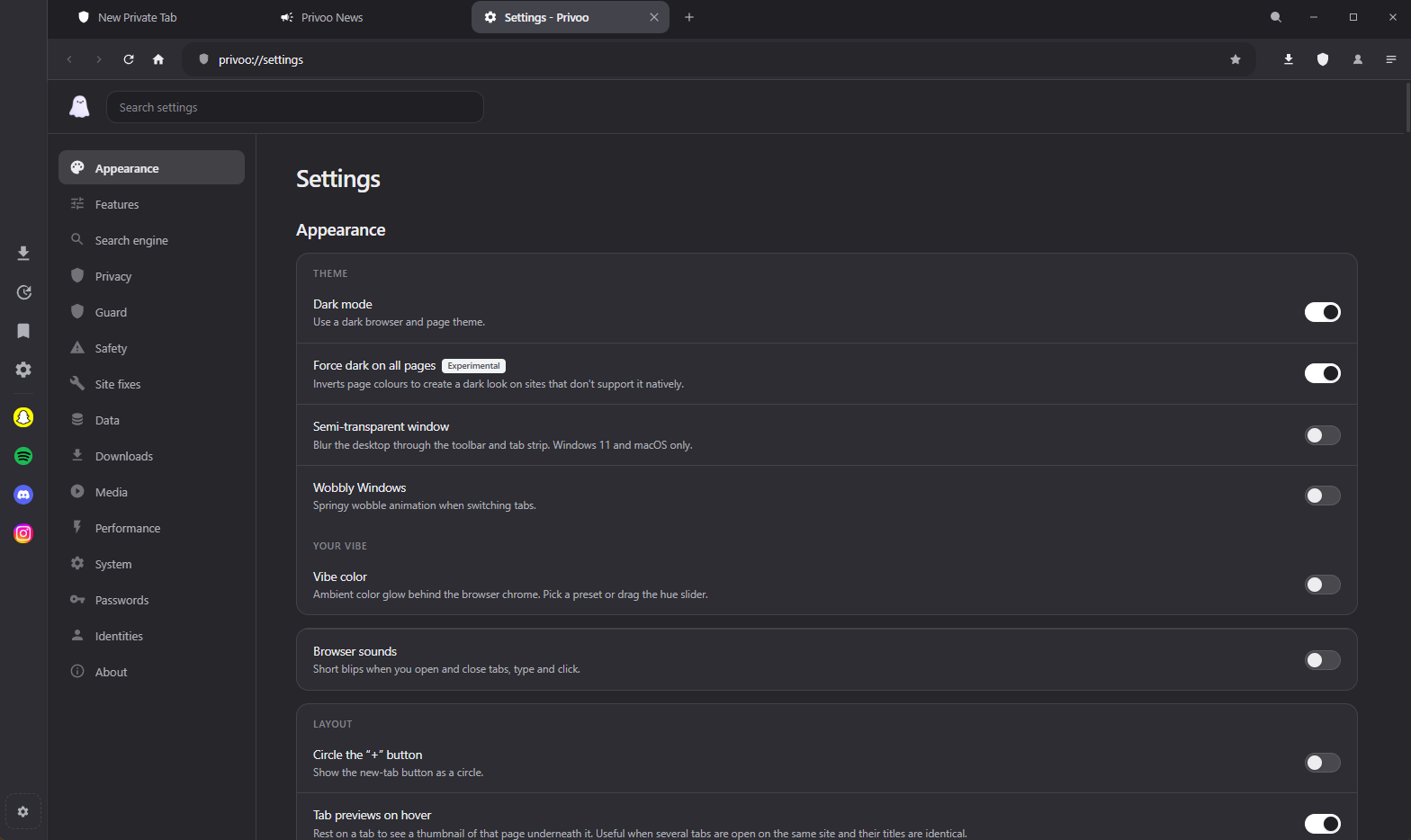
privoo://settingsSettings
privoo://extensionsBuilt-in and installed tools
privoo://marianaAnonymous hosting management
privoo://identitiesSaved identities for autofill
privoo://historyHistory
privoo://bookmarksBookmarks
privoo://downloadsDownloads
privoo://aiPrivoo AI
privoo://newsRelease notes, rendered locally

Data storage

All state is stored in a single directory on the local filesystem, with no remote component. Settings are held as human-readable JSON in privoo-settings.json; history, downloads, bookmarks, saved identities and .mariana site keys are stored alongside it. Saved passwords are encrypted. Browser profiles are implemented by redirecting Chromium's entire userData directory at process start, which isolates cookies, cache, storage and history between profiles at the filesystem level.

Configuration directory by platform
PlatformPath
Windows%APPDATA%/privoo/
macOS~/Library/Application Support/privoo/
Linux~/.config/privoo/

Privacy model

Privoo's privacy position rests on the absence of infrastructure rather than on policy. There is no account system, no synchronisation server, and no analytics endpoint; the project's claim is therefore that user data cannot be breached, subpoenaed or sold from a server that does not exist. Privacy statistics shown in the browser's shield interface are computed and stored locally. The release notes page is rendered from the local build and issues no network request.

The browser does make two categories of outbound request on its own behalf: update checks against the GitHub release feed, and periodic filter-list updates. Neither carries a user identifier. The project's documentation states these explicitly rather than claiming zero network activity.

The corresponding cost is stated plainly in the same documentation: because no sync server exists, bookmarks and passwords do not propagate between devices, and moving them requires copying the profile directory manually.

Privoo product family

Three applications share the Privoo name and visual identity. They are separate programs with separate codebases, and they differ substantially in licensing, distribution and update behaviour. The distinction matters because the properties most often associated with Privoo, namely that it is open source, auditable and updates itself, are properties of Privoo Desktop specifically.

The Privoo applications compared
AspectPrivoo DesktopPrivoo for AndroidPrivoo Coder
TypeWeb browserWeb browserAI coding IDE
PlatformsWindows, macOS, LinuxAndroid 10 and laterWindows
Built withElectron, ChromiumKotlin, Jetpack Compose, Android WebViewElectron, Monaco
SourceMIT licensed, publicClosed sourceClosed source
DistributionGitHub Releases, publicAPK on Proton Drive, link in DiscordProton Drive, link in Discord
Access requirementNoneDiscord membershipDiscord membership and the Contributor role
AccountNoneNoneDiscord sign-in required
UpdatesAutomaticNone; manual reinstallManual
Scope of this reference

Only Privoo Desktop is open source. Claims made about the two closed-source applications, including their privacy behaviour, rest on the project's own documentation and cannot be verified by reading their code, which is the standard this reference otherwise applies to Privoo Desktop. Privoo for Android also has no update mechanism, so an installed copy does not become current on its own.

Limitations and criticism

Several limitations are acknowledged by the project itself:

As an independent project maintained outside a company, Privoo also carries the support and continuity characteristics of such projects: there is no support contract, and no guarantee of maintenance.

See also

References

  1. Privoo Browser README. Project repository. Retrieved 16 July 2026.
  2. Release history and tags. Project repository. 66 tags, 180 commits as of v5.0.5.
  3. settings-store.js, default settings object. Project repository, version 5.0.5.
  4. Ghostery adblocker engine, used via @ghostery/adblocker-electron 2.5.x.
  5. castLabs Electron releases, providing the Widevine-enabled Electron 42.3.3 build.

External links